 Sort Feed
DocsPlatforms
Instagram is where Sort Feed does the most. It sorts profiles, search results and saved collections, and it's the only platform you can sort from Claude or ChatGPT.
Pages it works on
Open one of these and click the Sort Feed icon. Anywhere else, the panel shows a Choose a feed list instead of the sort controls.
- A profile's Posts tab, the default grid at instagram.com/username.
- A profile's Reels tab.
- Explore search results, once you've typed a keyword and the grid has loaded.
- Saved, either All Posts or one of your collections.
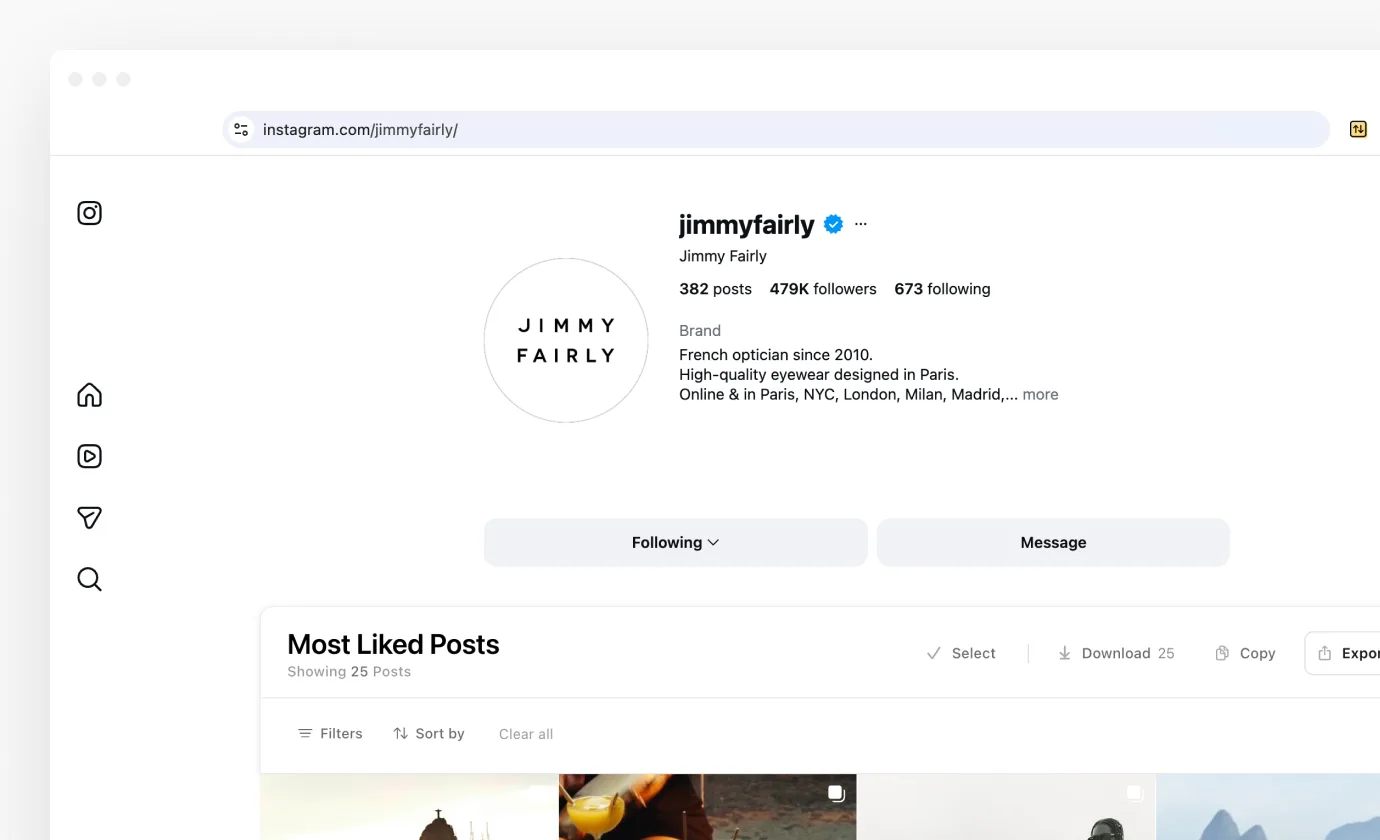
Posts and Reels
The two profile tabs behave differently because Instagram only publishes view counts on reels. Sort Feed sorts whichever tab you're looking at, so click Reels before you start if that's what you want.
On Posts you can rank by likes, comments, outlier score or oldest. Asking for views there returns a message pointing you at the Reels tab. On Reels every sort works, including date ranges.
Both tabs support date filters. Reels have no published date in the data Instagram sends, so Sort Feed derives it from the post's own id, and it matches what Instagram shows on the post.
Explore search
Search a keyword, wait for the results grid, then sort. This is the fastest way to see which posts on a topic actually worked, rather than which ones Instagram decided to show you first.
Search results carry no view counts and no reliable dates, so the sorts available are likes, comments and oldest. The Date tab is blocked here, and so is All Posts: pick a specific number instead.
Saved
Both All Posts and an individual collection can be sorted. The collections list itself has no grid to work with, so open a collection first. The Audio tab isn't sortable either.
Date filters are off across Saved, because Instagram returns these in the order you saved them rather than the order they were published. All Posts drops views and comments as well, since Instagram leaves those blank for most items there; a collection keeps comments.
Saved is multi-creator, so exports and downloads are named after the collection rather than after one account.
Download and transcribe
Download on the banner takes the whole sorted grid at once, and Downloading media covers what you get. Carousels come back as a zip with one file per slide.
You don't need to sort first. Download and Transcribe buttons appear on posts as you browse profiles, search, saved and collections, and on a single post opened from a shared link. Stories have their own Download button. Transcribing videos covers the text side.
The player
Clicking a post in a sorted grid opens it over the page rather than taking you to Instagram, on every Instagram surface Sort Feed sorts. Arrow keys move through the grid and Escape closes it. Watching sorted posts has the detail.
Similar accounts
After you sort a profile's Reels or Posts, Similar on the banner lists up to 50 accounts Instagram relates to it, each one a click from its own sort. It's Instagram only and needs Pro on a monthly or yearly plan. Similar accounts has the detail.
Save
A Save button sits on every post above Download and Transcribe, on a sorted grid, while you browse and in the player. A saved post keeps its numbers, its caption and a copy of its video, and you organize, export and share your saved posts on the web. Save is Instagram only, in Beta, and on every plan. Saving has the detail.
Instagram settings
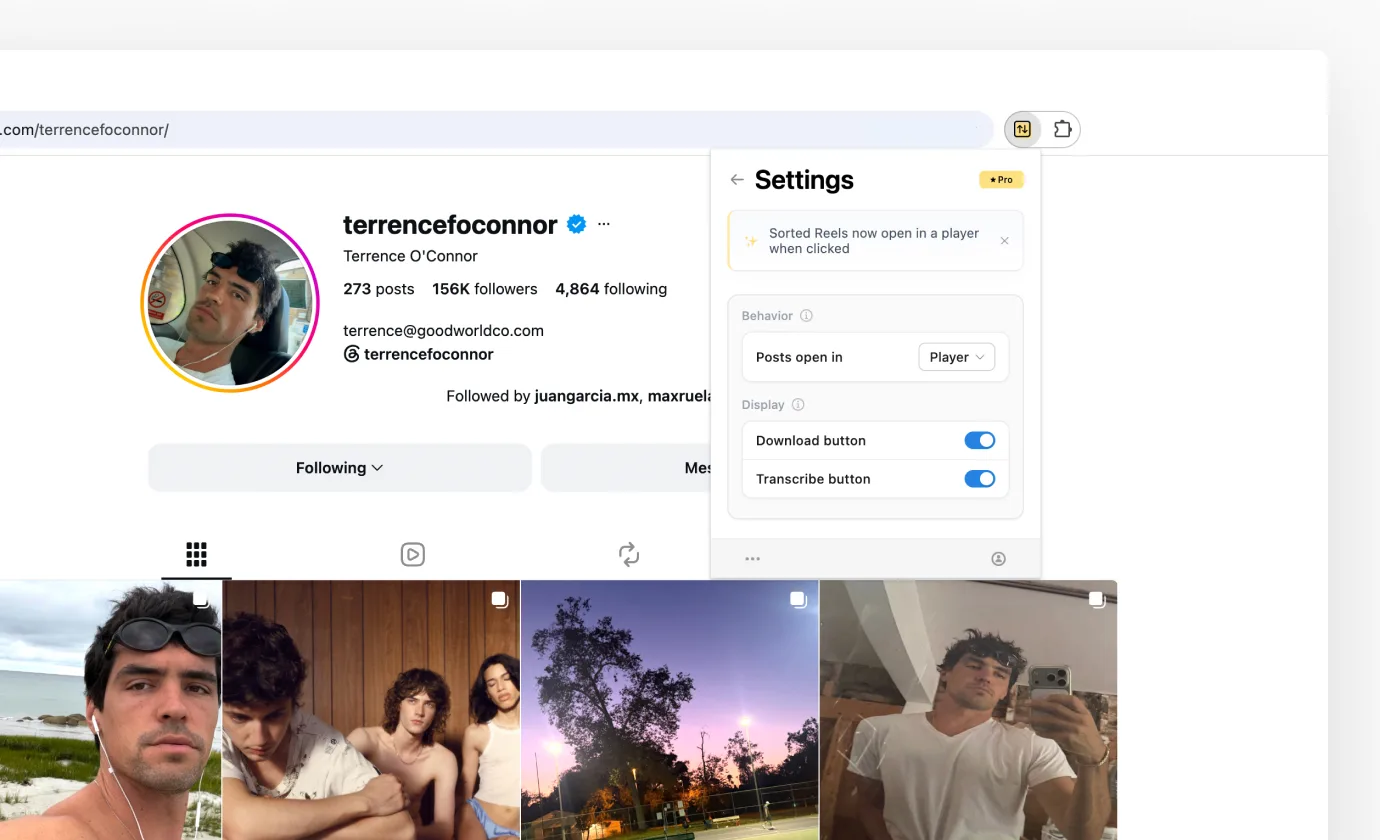
The gear in the extension header opens Settings, which on Instagram holds these switches and the Sort Feed MCP row.
- Posts open in, either Player or Instagram. Choosing Instagram restores the old behaviour of opening a new tab.
- Save button, which puts the Save bookmark on posts. It's marked Beta.
- Download button, which puts a Download control on posts while you browse.
- Transcribe button, the same thing for transcripts.
- Sort Feed MCP, which says whether this browser is connected. Manage opens your account settings.
Sorting from a chat
Instagram is the one platform you can sort without opening it. Connect Sort Feed MCP and ask Claude or ChatGPT to sort a profile, an Explore search, Saved All Posts or a single Saved collection. The sort runs in this browser, the results come back in the chat, and it needs Pro.
Next
How sorting works covers the choices behind every sort, and After you sort covers the banner you get back.