 Sort Feed
DocsDownload & transcribe
Downloading media
Save any reel or video without a watermark. One post, a hand-picked set, or an entire sorted grid in one go. Downloads are unlimited on the free plan.
Without sorting first
You don't need to run a sort to download something. A Download button sits on posts while you browse normally, and on the post you're already watching.
On Instagram that covers profiles, search, saved and collections, plus a post opened from a shared link, plus stories. On TikTok it covers profiles, search, saved, collections and shared links. On Facebook it covers profiles, saved reels and the full-screen reel viewer.
The buttons can be switched off. Open Sort Feed, click the gear, and turn Download button off for that platform.
In the player, the ••• menu downloads the post you're watching, or its thumbnail.
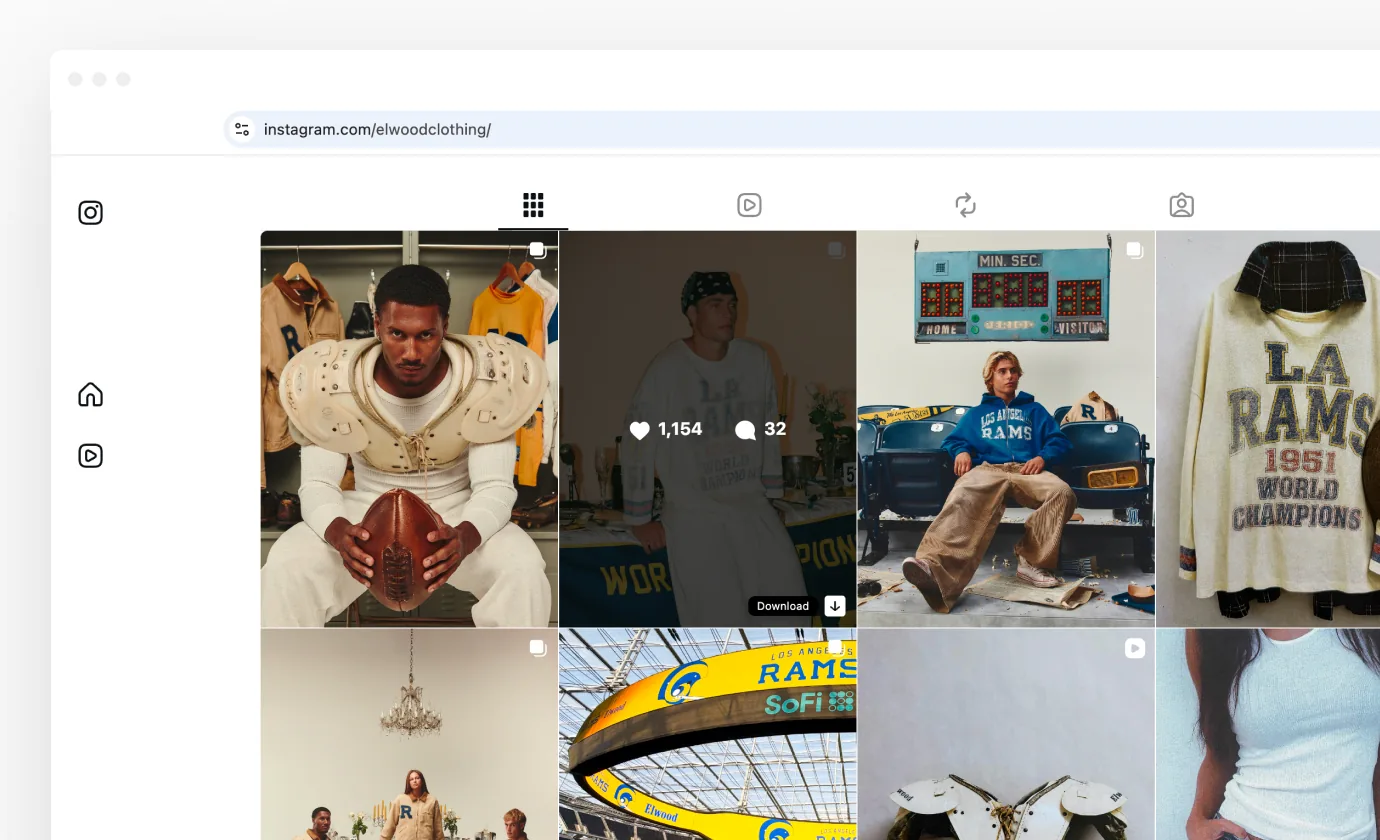
Downloading a sorted grid
Download on the banner takes every clip in the grid, in the order you sorted it. The number beside it is how many you are about to get. A banner tracks progress with a running count, and the button on it stops the run and keeps everything already saved.
This is how most people build a swipe file. Sort by outlier score, take the top of the grid, and you have the session's references before you've watched any of them.
Downloading a selection
Click Select, tick the posts you want, then Download. Only those are saved, in the order you picked them. After you sort covers Select mode in full.
Downloading saved posts
Instagram posts you've saved with Sort Feed download from your saved posts on the web too, one at a time or a selection as a zip. They come from Sort Feed's own copy, so they still download after Instagram's link has expired. Your saved posts covers it.
What you get
Names carry the creator and the post id, so a folder of downloads stays traceable back to the original. On a multi-creator surface such as Saved, each file inside a zip is named for the creator it came from.
- Video comes back as an .mp4, without a watermark.
- Photos come back as images.
- A carousel comes back as a zip with one file per slide, rather than a folder you have to unpick.
- A bulk download comes back as a single zip, with every clip in the order you sorted them.
It's free
Downloading is unlimited on the free plan, on every platform that supports it. The free limit is about how much of a profile you can sort, not about what you can save. Plans & billing has the details.
YouTube is the exception, and it's a whole-platform one. YouTube doesn't allow extensions to save videos, so Sort Feed doesn't offer a download there.
If a download fails
Single failures are usually the platform rate-limiting your account for a moment. Wait a few seconds and try again, and refresh the page if it keeps happening.
A whole batch failing at once, with transcription failing too, is a different problem. Troubleshooting covers it.