 Sort Feed
DocsSorting
Similar accounts
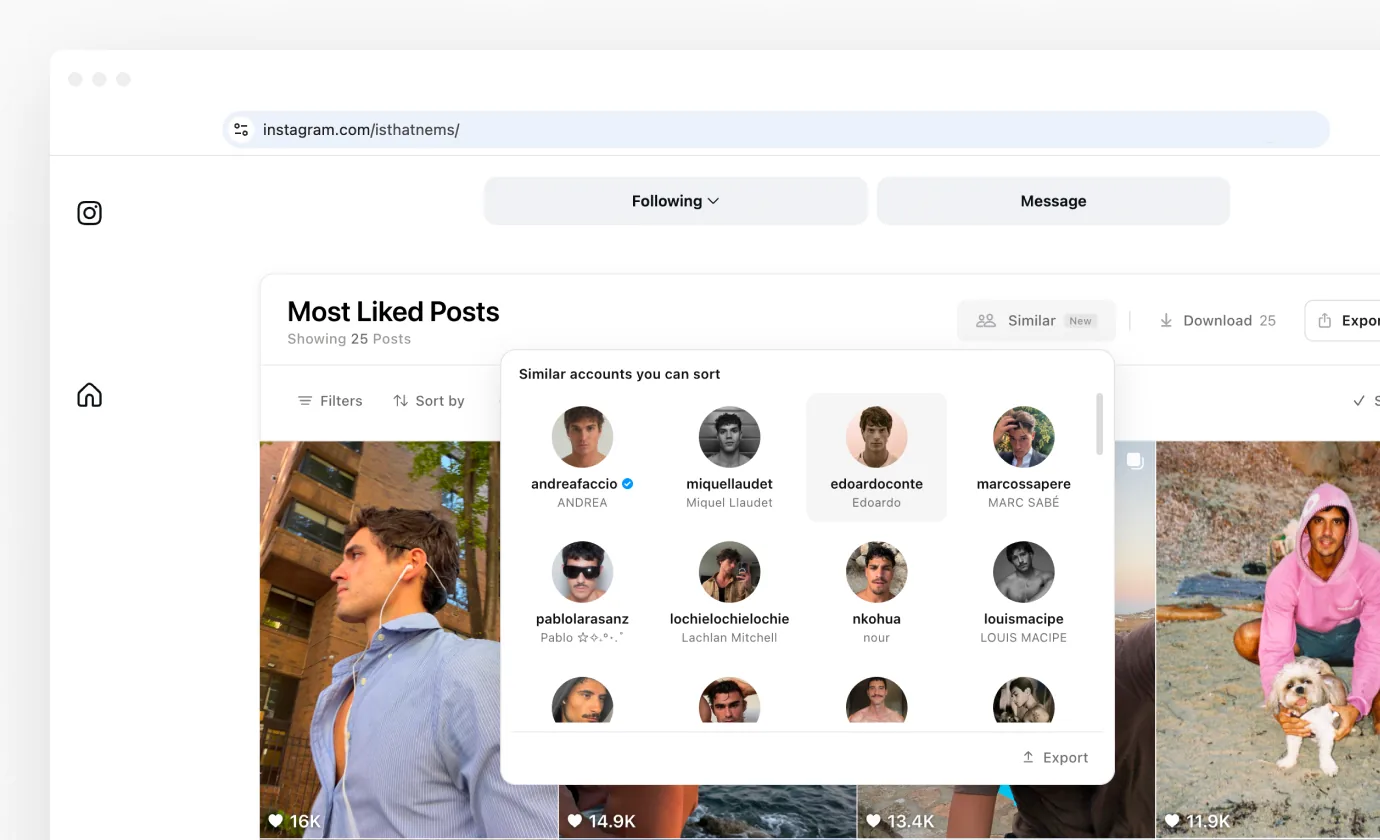
New: sort an Instagram profile, then see up to 50 similar accounts, ready to sort.
The problem it solves
Sorting one profile shows you what works for one creator. Similar finds the other creators in that niche, so you can research them the same way without digging through hashtags and follower lists.
Instagram already knows which accounts belong together, because it uses that to suggest who to follow next. Similar puts that list on the sorted banner, where you can act on it.
Opening the list
Sort an Instagram profile's Reels or Posts by anything you like. When the grid is ready, Similar is the first button on the banner's action row.
Click it and a panel opens under the banner titled Similar accounts you can sort. Each card shows the account's photo, username and name, with the blue badge on verified accounts.
The order
The cards come in Instagram's own order, so its closest matches come first. There are up to 50 of them, and the panel scrolls to show the rest.
Fan pages and repost accounts sometimes appear, usually toward the end. Skip them: they share the audience but not the ideas.
Opening a profile
Click a card and that profile opens in a background tab. The grid you just sorted stays where it is, and nothing is sorted or followed for you.
Open as many as you like, one click each. Each one waits in its own tab, ready to sort.
Exporting the list
Export, at the foot of the panel, offers the same four formats as the banner: Google Sheets, Excel, CSV and JSON. The download icon on a row saves the file and the copy icon puts it on your clipboard. Exporting your data covers how each format behaves.
- Profile, the link to the account.
- Username.
- Full name, as the account writes it.
- Verified, Yes or No.
Working through a niche
Similar works best as a chain. Sort the account you know best, open the three closest matches, sort each of those the same way, and check Similar again on each one.
Two rounds usually gives you a dozen accounts and a grid for every one. Sort them all by outlier score and the breakouts compare fairly, whatever the size of each account.
Where it works
Similar is on Instagram only for now, and only on a profile's Reels or Posts. Explore search and Saved mix many accounts, so there's no single profile to find matches for.
TikTok, Facebook and YouTube don't have it yet.
Who gets it
Similar accounts comes with Pro on a monthly or yearly plan. It is not part of lifetime plans: clicking Similar on one shows a note with a link to the plans. Plans & billing has the details.
Messages you might see
- No similar accounts, when Instagram has no list for that profile.
- Couldn't load similar accounts, with Try again.
- Unavailable right now, with a date. This is rare and resolves on its own.
What it won't do
Similar only reads the list. It never follows, likes or messages anyone, and your Instagram login stays in your browser.
To start, sort any profile. Your first sort takes under a minute.