 Sort Feed
DocsPlatforms
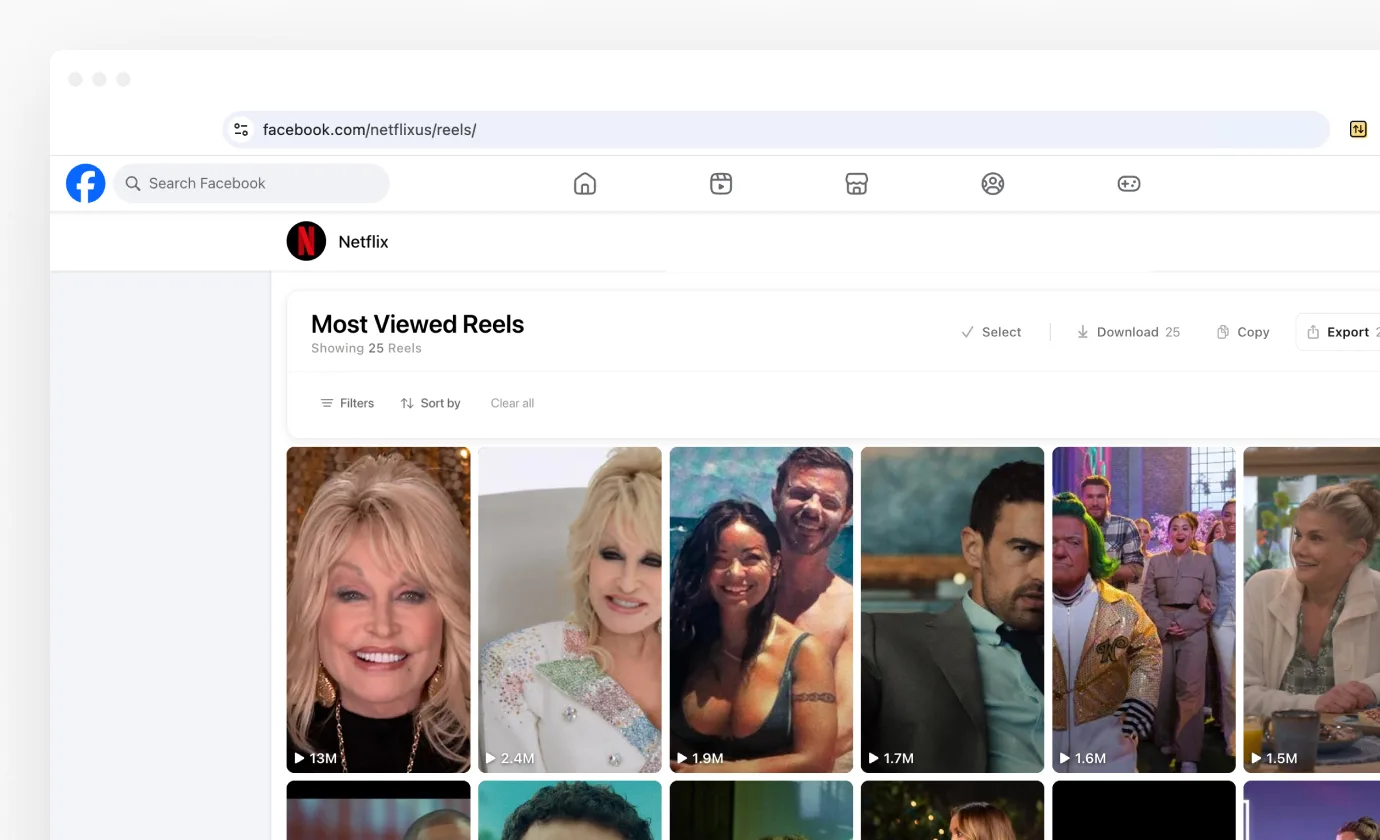
On Facebook, Sort Feed works on reels. That covers a creator's Reels tab, your own published reels, and the reels you've saved.
Pages it works on
Facebook has one sortable format, so the surface is decided by the URL rather than by anything on the page.
- A profile's Reels tab, for any creator whose reels you can see.
- Your own reels, the published list on your own profile.
- Saved reels on your profile.
What you can sort by
Views, likes, comments, shares, oldest and outlier score. Date ranges work on a creator's Reels tab.
Date filters are blocked on saved reels and on your own reels. Saved reels come back in the order you saved them, so a date range would be measuring the wrong thing.
Outlier score
Outlier score runs on a profile's Reels tab only. It compares each reel to that account's own median views, so it needs one creator's history, and saved reels are a mix of many. Outlier score explains how the number is built.
Download and transcribe
Download on the banner saves the sorted grid. Download and Transcribe buttons also appear on reels while you browse a profile, your saved reels, or a reel opened from a shared link.
The buttons work on the full-screen reel viewer too, so you can save the one you're watching without going anywhere. Downloading media covers what comes back.
The player
Clicking a reel in a sorted grid opens it over the page, with its views, likes, comments and shares beside it, on all three Facebook surfaces. Arrow keys move through the grid and Escape closes it. Watching sorted posts has the detail.
Facebook settings
The gear in the extension header holds Posts open in, Download button and Transcribe button, the same three rows Instagram and TikTok have.
One thing to know
Facebook photos aren't supported and won't be. The photo feed carries no engagement numbers at all, so there is nothing to rank it by.
Everything else behaves like the other platforms. After you sort covers the banner, and Exporting your data covers the columns.