 Sort Feed
DocsExporting
Google Sheets
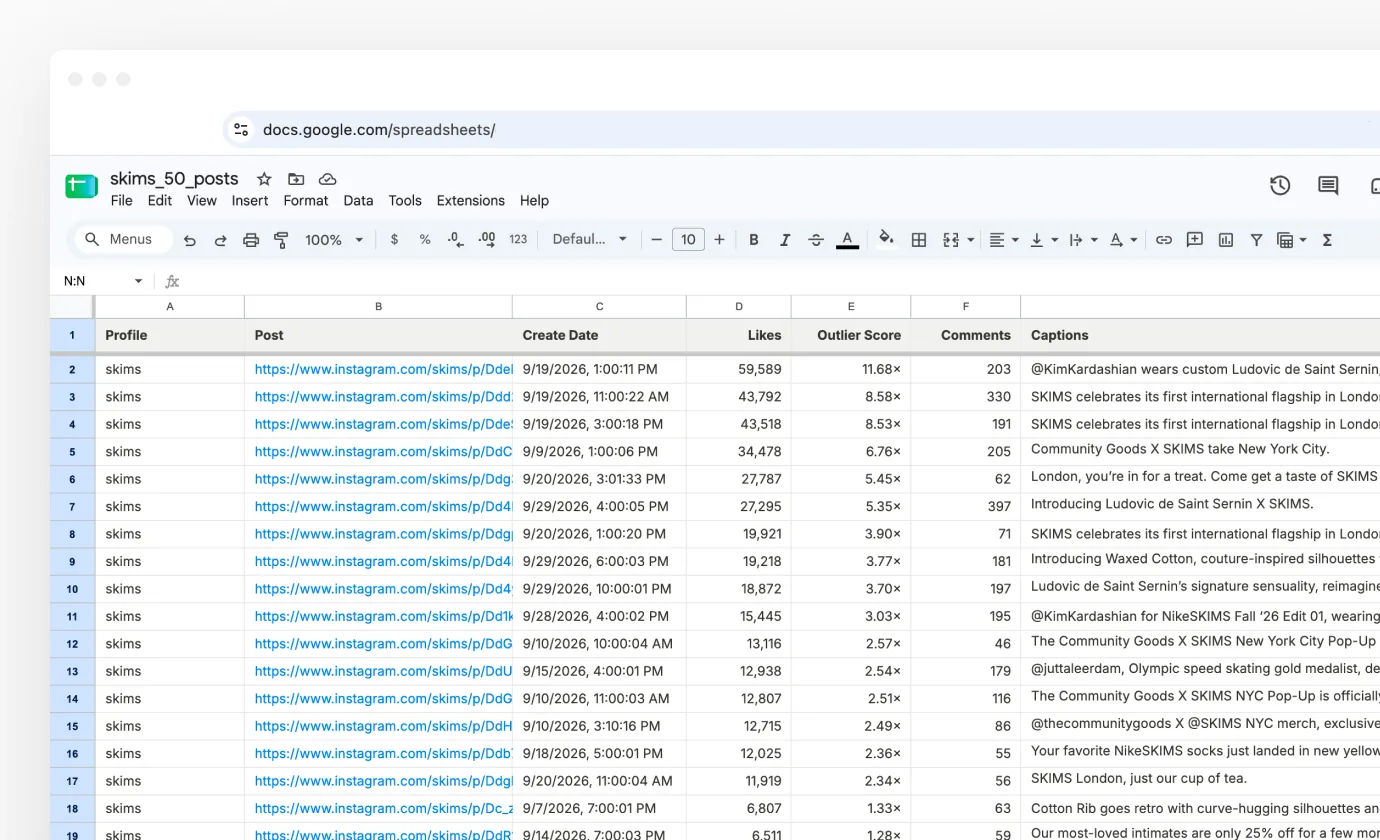
Google Sheets skips the download and the import. Pick it from the Export menu and a formatted spreadsheet appears in your own Drive, then opens in a new tab.
What you get
A new sheet, in your Drive, named after what you sorted. It carries the same columns as any other export, plus Outlier Score and Transcript when the data has them.
It arrives formatted rather than raw: a frozen bold header row, sensible column widths, thousands separators on the counts, and the outlier multiples set as multiples. It's ready to read, not ready to clean up.
Connecting once
The first time you choose Google Sheets, Sort Feed opens a Google consent page. Approve it and the connection is stored against your Sort Feed account, so every export after that is one click.
Sort Feed asks only for permission to create and manage the files it makes. It cannot read the rest of your Drive.
You need to be signed in to Sort Feed for this, since the connection belongs to your account rather than to the browser. If you aren't, the banner says so and offers a sign-in link.
Running an export
1. Sort, then narrow if you want
The sheet contains whatever is on screen, so apply Filters or use Select first if you only want part of the grid.
2. Choose Google Sheets from Export
A progress banner appears while the sheet is built. Larger exports take a few seconds longer, since every row is written and then formatted.
3. The sheet opens
A new tab opens on the finished spreadsheet. It's yours: share it, add columns, or point a formula at it like any other sheet.
If it doesn't work
- A sign-in message means Sort Feed doesn't know who you are yet. Sign in from the extension and try again.
- Being sent to the Google consent page again means the connection lapsed. Approving it once more restores it.
- An error banner is usually a connection problem rather than a data problem. Try again, and export a CSV in the meantime if you need the rows now.
- Anything else is worth reporting. Troubleshooting lists the common cases and how to reach us.
Works everywhere
Google Sheets is available on all four platforms, from the sorted banner and from Select mode, and from Claude or ChatGPT through Sort Feed MCP. The columns follow the platform, and Exporting your data lists them.