Sort Feed
BlogUpdates
How to find similar Instagram accounts
You can find similar Instagram accounts straight from a sorted profile. Click Similar on the banner and the accounts that share its audience are one click away.

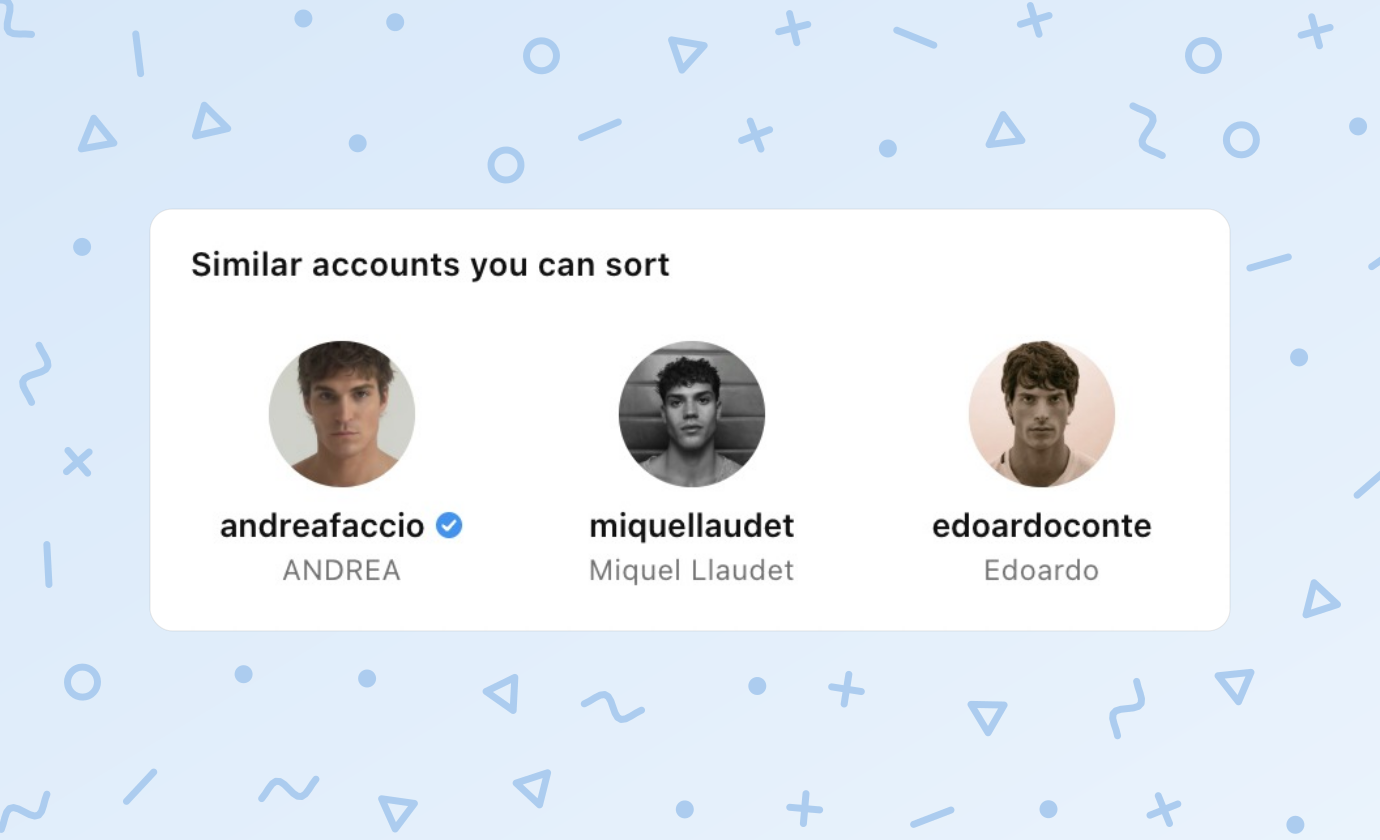
Finding similar Instagram accounts used to mean following one and waiting for Instagram to suggest the next. Sort Feed now hands you the list right after a sort, on the profile you are already looking at.
Sort a profile, click Similar on the banner, and you get up to 50 accounts in Instagram's own order, each one a click away from its own sort.
Why similar accounts matter
One profile tells you what worked for one creator. Ten profiles in the same niche tell you what works for the audience, and that is the thing worth copying.
The hard part was never the sorting. It was knowing which ten accounts to sort, without spending an afternoon on hashtags and follower lists.
Find similar accounts
1. Sort a profile
Open any Instagram profile and sort its Reels or Posts by views, likes or outlier score. The Similar button sits at the start of the banner's action row once the sort finishes.
2. Click Similar
A panel opens under the banner titled "Similar accounts you can sort". Each card shows the account's photo, username and name, with the blue badge on verified accounts.
The order is Instagram's own, so its closest matches to the profile you sorted come first.
3. Open the ones you want
Click a card and the profile opens in a background tab, so the grid you just sorted stays where it is. Nothing is sorted or followed on your behalf.
Open as many as you like, one click each. Every profile waits in its own tab, ready to sort.
Build a list of competitors
Similar works best as a chain. Sort the account you know, open the three similar ones that look closest, sort each of those, and check Similar again on each.
Two rounds of that usually gives you a dozen accounts in the niche, ranked by what actually performed on each one. The names that keep coming back are the ones your audience already follows.
- Start with an account your audience already loves.
- Skip fan pages and reposts, which tend to sit near the end of the list.
- Sort every new account the same way, so the grids compare.
Export the list
The Export button under the cards saves the whole list as CSV, JSON or Excel, or sends it to a Google Sheet. Each row has the profile link, the username, the name and whether the account is verified.
Every format can be copied instead of saved, so the list can go straight into a brief or a doc.
Who gets it
Similar accounts is part of Pro on a monthly or yearly plan. It is not included in lifetime plans, and Plans & billing has the details.
Similar accounts in the docs has every message the panel can show.
What it won't do
Similar shows Instagram profiles only for now. It reads the list and never follows, likes or messages anyone, and your Instagram login stays in your browser.
Sort the first account on the list and you are back where this started. Install Sort Feed if you have not yet.